
Amazon Premium A+ Content: Modules, Eligibility & Benefits
Picture a shopper scrolling Amazon late at night, cart half-full, eyes glazing over generic bullet points. Then your listing appears—not just text and stock photos, but a dynamic showcase: videos playing, carousels spinning tales of your brand's origin, charts stacking up features against the competition. They linger. They click "Buy Now." That's the quiet power of Amazon Premium A+ Content.
If you're an FBA seller, Brand Registry owner, or e-commerce agency steering client listings, you've likely wrestled with standard A+ Content's limits. What is Premium A+ Content? It's Amazon's elite upgrade, unlocking richer modules to transform bland product pages into conversion machines. This guide breaks it down: from eligibility tied to Amazon Brand Registry to the seven core Premium A+ modules, plus proven benefits and setup steps.
What is Premium A+ Content?
Premium A+ Content elevates your Amazon listing beyond basic descriptions. While standard product detail pages rely on title, bullets, and images, A+ Content adds modular visuals and text. Premium takes it further with advanced layouts, videos, and interactive elements—available only to approved brands.
Think of it as your digital storefront window: fuller, more immersive, designed to hold attention in Amazon's split-second decision arena. Rolled out to give registered brands an edge, it supports up to 30 content units, weaving narrative, proof, and persuasion into one seamless scroll.
Premium A+ vs Standard A+
Standard A+ Content offers basics: image-text combos, simple headers, up to five images per module. It's solid for feature lists but feels static—fine for commodities, lackluster for brands with stories to tell.
Premium A+ unleashes sophistication. Key differences:
- Advanced modules like videos, carousels, and charts (detailed below).
- Full-width visuals for hero impact.
- Higher engagement potential through interactivity.
- Strictly for brands with proven performance and approval.
Standard suits starters; Premium rewards established players ready to scale.
Who Can Use Premium A+ Content?
Access hinges on Amazon Brand Registry enrollment—Amazon's free program verifying trademarks and protecting listings. Steps:
- Enroll at brandregistry.amazon.com with active trademark.
- Await approval (typically 1-2 weeks).
- Apply for A+ Content in Seller Central (under Advertising > A+ Content Manager).
- For Premium, request upgrade post-performance review—Amazon assesses sales velocity, reviews, and category fit.
Not all categories qualify; gated ones like groceries need extra approval. Once greenlit, create via Seller or Vendor Central.
The 7 Core Premium A+ Modules Explained
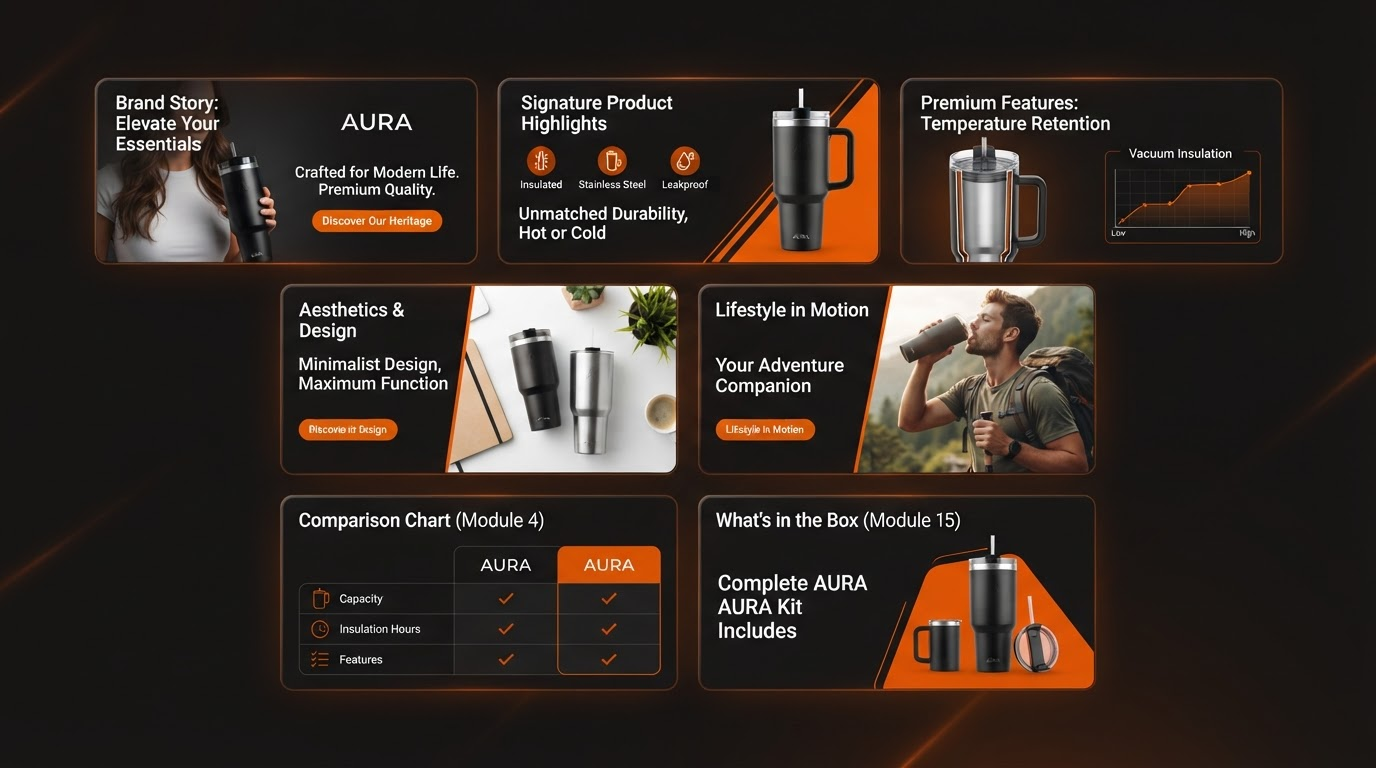
These Premium A+ modules form the backbone. Each packs specific punch; layer them strategically for flow.
1. Premium Brand Story Carousel
Swipeable carousel (4-8 cards) narrating your brand's journey—founder tales, sustainability ethos, milestones. Use case: Build emotional connection early; ideal for lifestyle brands like apparel or wellness.
2. Video + Text Module
Embed up to 3-minute videos alongside descriptive text. Demo usage, unboxings, or testimonials. Use case: Prove quality visually; tech gadgets or beauty tools shine here, holding viewers 2-3x longer.
3. Full-Width Imagery
Edge-to-edge high-res photos with optional overlay text. Use case: Hero shots of products in real life—kitchen tools steaming, apparel in motion—for instant visual dominance.
4. Interactive Comparison Tables
Customizable charts pitting your product vs competitors or variants (size/color). Use case: Differentiate on specs; electronics or fitness gear where features seal deals.
5. Enhanced Multi-Image + Text
Grid of 4-6 images paired with bullets. Zoomable, contextual. Use case: Detail angles/textures—shoes, bags—zooming boosts perceived quality.
6. Feature Highlight with Icons
Icon-driven lists expanding on hover/tap. Use case: Quick-scan benefits; home goods or supplements, scannable for mobile rush-buyers.
7. Dynamic FAQ Accordion
Expandable Q&As addressing objections. Use case: Preempt returns; apparel sizing, tech compatibility—reduces post-purchase doubt.
Why Premium A+ Converts Better
Amazon data and seller reports point to real lifts: many brands observe conversion rate increases of 5-15% after implementation. Why? It humanizes listings—stories foster trust, videos demonstrate value, charts crush objections. Dwell time rises, reducing bounce rates by showcasing depth without clutter.
In tests, pages with Premium elements see higher add-to-cart rates, especially mobiles where visuals rule. It's not magic; it's psychology meeting pixels.
How to Get Started with Premium A+ Content
Secure Brand Registry, gain approval, then draft in A+ Manager. Pro tip: Tools like Premium A+ Forge accelerate—pulls ASIN data to forge compliant drafts instantly, with desktop/mobile previews, compliance checks, and export-ready files for seamless handoff.
Practical tips for module selection:
- Lead with Brand Story Carousel for trust-building.
- Slot Video mid-page after intrigue peaks.
- End with Comparison Table or FAQ to close sales.
- Limit to 10-15 units; test mobile rendering.
- A/B via Manage Your Experiments for optimization.
- Prioritize high-res assets (3000px+); no watermarks.
- Align modules to customer journey: awareness, consideration, decision.
Launch, monitor via Business Reports. Tweak based on engagement metrics. Your listing isn't just visible—it's unforgettable. In Amazon's arena, that's the edge that scales.