
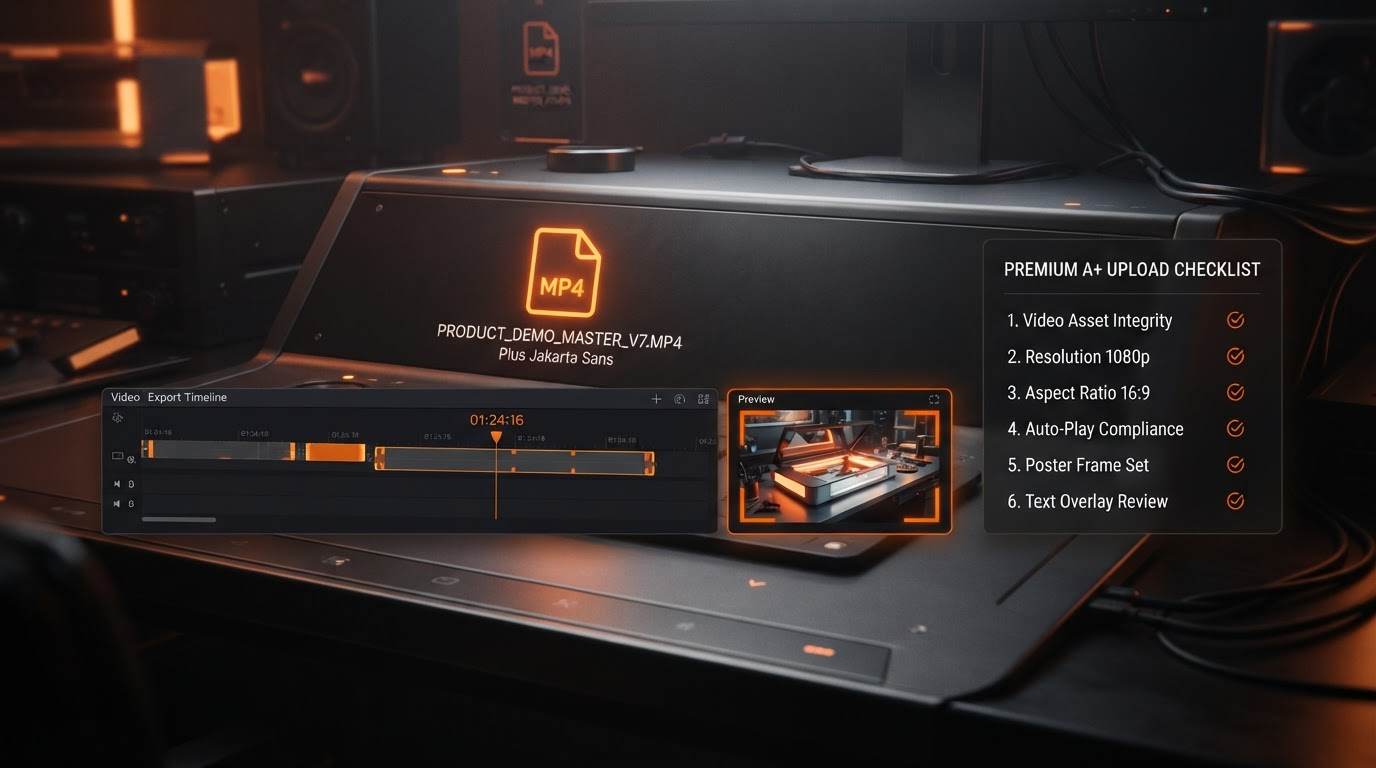
Amazon Premium A+ Video Module Size & Length: MP4 Specs, Limits, Preview Images & Upload Guide
Picture this: your meticulously crafted video, pulsing with product highlights, stalls at upload. The error flashes: file too large, duration exceeded, or codec mismatch. For Brand Registry sellers and creative teams, Premium A+ video modules offer a prime spot to captivate shoppers right on the detail page. Yet mastering Amazon Premium A+ video module size length demands precision. This guide cuts through the fog, delivering procedural clarity on Premium A+ video specs, from MP4 essentials to upload validation.
Unlike standard A+ video modules, which cap at shorter clips, or product detail-page videos limited to seven minutes, Premium A+ video modules slot into enhanced content layouts. They stand apart from Sponsored Brands videos, Store videos, and Posts reels. Apply the wrong specs, and rejection follows. Here, we focus solely on Premium A+ requirements as they appear in Seller Central's A+ Content Manager.
Core MP4 Specifications for Premium A+ Video Modules
MP4 A+ module uploads start with the basics. Amazon mandates MP4 container format, encoded with H.264 (AVC) video codec and AAC-LC stereo audio. These ensure smooth playback across desktop, mobile, and tablet.
Dimensions, Aspect Ratio, and Resolution Guidance
Optimal dimensions favor 16:9 landscape (1920x1080 or 1280x720), though portrait 9:16 works for vertical storytelling. Minimum resolution hits 720p; higher performs better. The A+ Content Manager flags mismatches during validation. Always preview on mobile, where aspect ratios shift.
Amazon A+ video length and File Size Limits
Duration and file size limits vary by marketplace, account, or UI version. As it appears in A+ Content Manager today, clips often max at 120 seconds, with file sizes up to 100MB. Portrait videos may differ. Check the live upload form for your ASIN—limits display inline and enforce strictly. Exceed them, and the module fails.
Audio and Frame Rate Handling
Pair H.264 video (24-60 fps) with AAC audio (up to 384kbps). Mono tracks convert poorly; stick to stereo. Silence unnecessary channels to trim size.
A+ preview image and Poster Frame Requirements
Every Premium A+ upload requirements includes a preview image—a static thumbnail or poster frame. Extract the first frame or upload a separate JPG/PNG (matching video dimensions, under 2MB). This displays pre-play on desktop and mobile. Mismatched or missing previews trigger rejections. Test readability at 600x450 mobile scale, per our A+ image size guide.
Optimizing On-Video Text and Mobile Preview
Text overlays must scale boldly: 24pt minimum, high-contrast sans-serif fonts. Mobile crops edges, so center key elements. Amazon's Compliance desk scans for readability; tiny text fails. Preview in A+ Content Manager's simulator for molten-glow visuals that pop.
Pre-Upload Checklist: Compliance Desk Essentials
- MP4 extension, H.264 video codec, AAC stereo audio.
- Dimensions: 16:9 or 9:16, 720p+ resolution.
- Duration and size under live form limits.
- Preview image matches aspect, JPG/PNG <2MB.
- Text: Bold, readable on mobile; no flashing >3Hz.
- Copy compliant—no pricing, promotions. See our Premium A+ requirements guide.
- Validate in media player; export at target bitrate.
Agency Workflow: From ASIN Brief to Review Before You Upload
- ASIN to Premium A+: Input ASIN in AMZAPLUS app's Creative command center. Forge a draft layout.
- Craft video in editor: Align specs, add text, export MP4 package.
- Generate preview image; bundle with module assets.
- Run internal audit via A+ audit checklist.
- Review before you upload: Simulate in Seller Central.
Streamline with Amazon A+ Content examples from our gallery.
Troubleshooting Rejected Uploads
Rejections hit for codec mismatch (use Handbrake re-encode), size/duration over (trim in Premiere), missing thumbnail, or unreadable text. Audio glitches? Convert to AAC. Compliance flags? Cross-check rejection reasons guide. Always note the exact error from A+ Content Manager.
- Codec error: Verify H.264/AAC via MediaInfo.
- Size limit: Compress bitrate; confirm live cap.
- No preview: Attach poster frame.
- Text illegible: Upscale fonts, test mobile.
Uploading and Validating in A+ Content Manager
Navigate to A+ Content Manager, select Premium module, upload MP4 and preview. Inline checks flag issues pre-submit. Limits may vary—double-check per ASIN. Once live, audit via 10-step framework.
Prep smarter with AMZAPLUS: Forge a draft in the Creative command center, then Review before you upload in Seller Central. Precision publishes.